
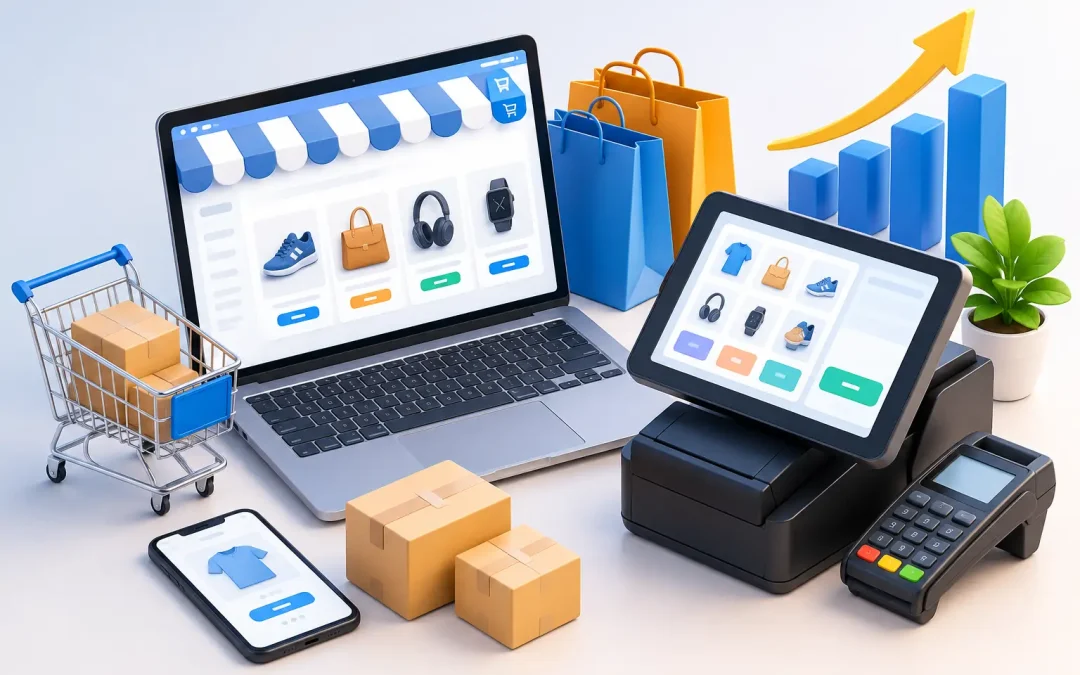
A customer sees a product on Instagram, checks availability online, visits your shop that afternoon, then asks to have a different size delivered to their home. If your systems cannot handle that journey cleanly, the sale can disappear at the counter. A considered ecommerce and POS setup gives retailers one reliable view of products, stock, customers and sales – whether the transaction happens online, in-store or through a mobile checkout.
For Australian retailers, this is not simply a technology decision. It affects conversion rates, fulfilment costs, advertising performance, customer retention and the quality of the data used to make growth decisions. The right setup reduces friction for customers and removes the manual work that holds internal teams back.
Why ecommerce and POS setup matters to revenue
An ecommerce platform and point-of-sale system can operate separately, but that arrangement often creates avoidable problems. A product may show as available online after it has sold in-store. Staff may need to enter customer details twice. Returns can become difficult when an item purchased online is brought into a physical location.
When ecommerce and POS are connected properly, inventory adjusts across channels as sales occur. Product information, pricing, promotions and customer records can be managed from a central source. That gives customers more confidence to buy and gives your team fewer operational fires to put out.
The commercial value is broader than stock accuracy. Unified sales data can show which products perform best by channel, which campaigns produce in-store purchases, and where customers drop off before completing an order. Those insights make SEO, Google Ads, email marketing and conversion optimisation more accountable to revenue rather than vanity metrics.
Start with the customer journey, not the software
Many businesses begin by comparing platform features, payment fees and hardware prices. Those factors matter, but they should come after mapping how customers actually buy from you.
A fashion retailer may need real-time size and colour availability, easy exchanges and click-and-collect. A hospitality venue may prioritise speed at the counter, table ordering and loyalty offers. A wholesaler might need customer-specific pricing, purchase orders and a sales process that combines online ordering with account management.
Document the key moments before choosing a provider: product discovery, stock checking, checkout, delivery, collection, returns and post-purchase communication. Also consider what staff need to do when internet access drops, an item is damaged, or a customer wants to split payment methods. A setup that looks impressive in a demo can still create bottlenecks during a busy Saturday trade.
Define what must sync
Not every business needs every data point to move between systems in real time. For most retailers, stock levels, product variants, prices, customer details, gift cards, discount codes and orders should be synchronised. The question is how quickly that needs to happen and which system is the source of truth.
Real-time synchronisation is valuable for fast-moving inventory and businesses selling across multiple locations. It may cost more or require more technical oversight. A scheduled sync can suit a smaller operation with lower order volume, but it introduces a greater risk of overselling. The right choice depends on volume, complexity and the cost of a stock error to your brand.
Choose a platform that supports the next stage of growth
Your ecommerce platform needs to be practical for your team, technically sound for search visibility and flexible enough to support future campaigns. Look beyond the first-year subscription price. Payment processing, apps, integrations, development work, support, transaction fees and hardware can materially change the total cost.
A simpler all-in-one platform can be the best choice for a growing retailer that wants faster implementation and less maintenance. A more flexible platform may suit a business with complex catalogues, custom pricing rules, multiple warehouses or specialised integrations. Neither approach is automatically better.
The critical issue is fit. Avoid forcing a unique business process into a platform that cannot support it, but do not overbuild a solution for problems you may never have. The system should make the most profitable workflow easier, not add complexity for its own sake.
Build for search visibility from day one
Platform selection has direct SEO implications. Your site must allow clear category structures, editable page titles and meta descriptions, clean URLs, fast mobile performance, structured product information and effective redirects when products are removed or replaced.
This matters because a physical store may have established local awareness, while an ecommerce site must earn visibility in highly competitive search results. If key collections are hard to crawl, product pages are slow, or duplicate pages are created by filters and variants, organic traffic can be constrained before your campaign begins.
An ecommerce build should also support useful content around categories, brands and buying decisions. That creates more opportunities to attract high-intent visitors and guide them towards product pages that convert.
Get product and inventory data right before launch
Most ecommerce and POS issues are data issues disguised as software issues. Inconsistent SKUs, duplicate products, unclear variant names and incomplete attributes lead to incorrect stock reports, poor on-site filtering and frustrating fulfilment errors.
Create a consistent product data standard before migration. Each item should have a unique SKU, accurate barcode where relevant, clear title, category, supplier information, price, tax treatment, weight, dimensions and quality imagery. For variants, use a consistent structure for details such as size, colour, material or pack quantity.
Good data also improves marketing. Product feeds for shopping campaigns rely on precise titles, availability, prices and images. Category and attribute data helps customers filter products quickly. Accurate inventory status prevents paid traffic being sent to items that cannot be purchased.
Before going live, run test orders across the full customer journey. Purchase online for delivery, purchase online for collection, process an in-store sale, test a partial refund and return an online order in-store. Check whether stock, customer details, tax and reporting update as expected after each scenario.
Design checkout and fulfilment around convenience
Checkout is where marketing investment becomes revenue. Customers should be able to use familiar payment options, understand delivery costs early and choose a fulfilment method that suits them. For many retailers, click-and-collect is not an extra feature. It is a practical way to capture local demand while creating opportunities for additional in-store purchases.
Be clear about delivery areas, cut-off times, collection instructions and return conditions. Ambiguity creates support tickets and abandoned carts. If stock is held at different locations, ensure your system can make a sensible fulfilment decision without promising an item from the wrong store.
Returns deserve equal attention. A customer should not need to explain where they purchased an item before your team can help. A connected POS setup lets staff find the order, process the return correctly and maintain an accurate customer record. That experience has a direct impact on repeat purchase behaviour.
Use unified data to improve marketing performance
Once the setup is operating reliably, connect its reporting to commercial decisions. Separate online and in-store sales reporting is useful, but it can hide the real customer journey. Someone may discover a product through an organic search result, compare it online, then complete the purchase in your shop.
Track channel performance alongside revenue, average order value, repeat purchase rate, product margins and return rates. This creates a stronger basis for deciding which categories deserve more SEO content, which products should receive paid media budget and where conversion optimisation will have the greatest impact.
Customer data should be handled carefully and in line with privacy obligations. The goal is not to collect every possible detail. It is to use the information customers have shared to make communication more relevant, such as a restock message, a useful replenishment reminder or an offer tied to a genuine purchase pattern.
Plan for implementation, training and ongoing refinement
A successful rollout needs an owner, a timeline and clear checks before launch. Allocate time for data cleanup, hardware configuration, payment testing, staff training and contingency planning. Rushing the final week is a common cause of avoidable errors.
Staff training should cover more than taking a payment. Your team needs confidence with exchanges, order lookups, click-and-collect handovers, discount rules and basic troubleshooting. Their feedback is valuable because they see customer friction first-hand.
After launch, review the setup against real trading data. Watch for oversold products, abandoned carts, failed payments, delayed fulfilment and high-return items. Treat your ecommerce and POS environment as a revenue system that should be refined alongside your SEO, paid media and conversion strategy.
The best setup does not merely connect a website to a counter. It gives customers the freedom to buy how they prefer, while giving your business the accurate data needed to make the next growth decision with confidence.